Back Pain at Work: Ergonomic Tips for a Pain-Free Office

If you spend most of your day sitting at a desk, you already know how much your body can protest by the time 5 o'clock rolls around. That dull ache in your lower back, the stiffness creeping up your neck, the tension settling between your shoulder blades — these are incredibly common complaints for office workers. Back pain at work is one of the leading reasons people seek chiropractic care, and the good news is that many of these issues are preventable. With a few smart ergonomic changes and some awareness of your daily habits, you can dramatically reduce the strain your body is under — and actually enjoy getting through the workday feeling good.
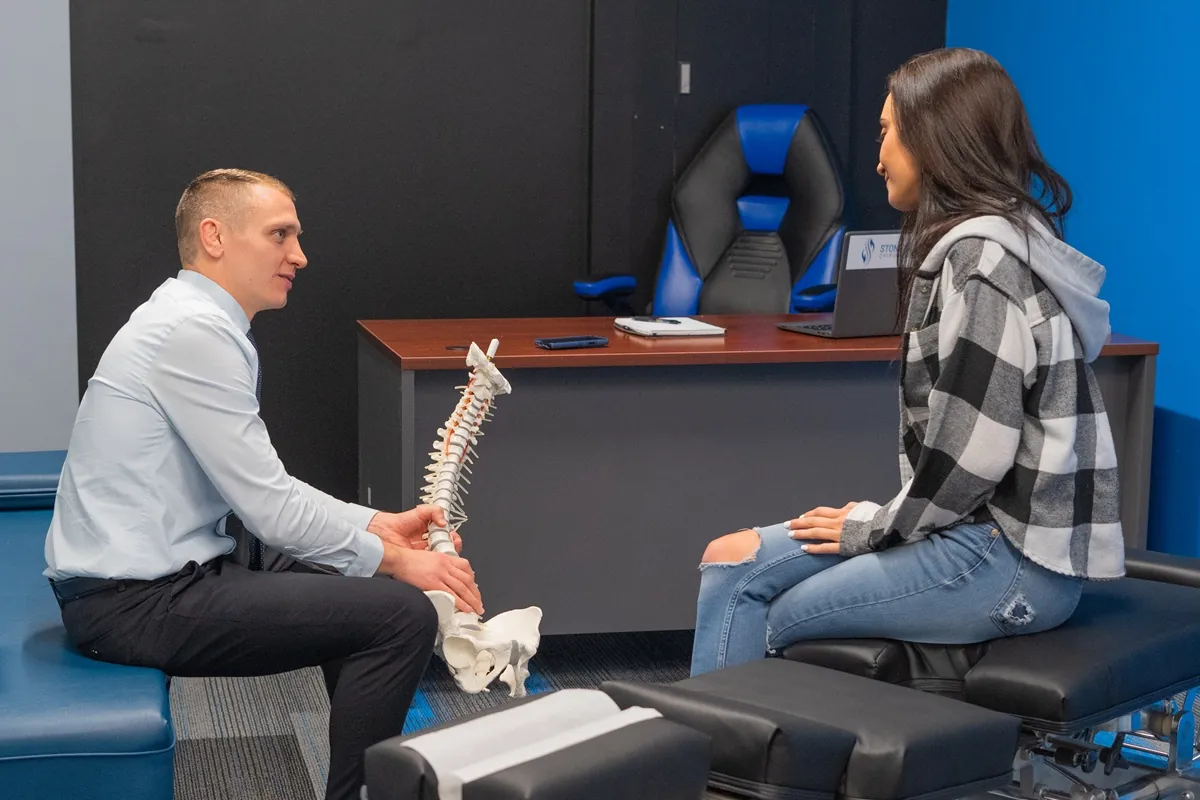
At Stonelake Chiropractic in Austin, TX, Dr. Jacoby Bergeron works with patients every week who come in dealing with desk-related discomfort. What he consistently finds is that the problem isn't just the injury itself — it's the daily environment and habits that created it. That's exactly what this article is here to help you understand and address.
What Is Ergonomics, and Why Does It Matter for Back Pain?
Ergonomics is the science of designing a workspace and work habits to fit the person using them — not the other way around. When your workstation is poorly set up, your body is forced into awkward positions for hours at a time, creating cumulative stress on your muscles, joints, and spine. Over time, this leads to real pain and dysfunction. Good ergonomics means your body can maintain a natural, balanced posture while you work, reducing the load on your spine and supporting tissues.
- Why Sitting All Day Hurts Your Back
- Setting Up an Ergonomic Workstation
- Posture Habits That Make or Break Your Workday
- How Chiropractic Care Fits In
- Practical Tips for a Pain-Free Office Day
- When to See a Chiropractor
- Myths vs. Facts About Back Pain at Work
- Final Thoughts
- Frequently Asked Questions
Why Sitting All Day Hurts Your Back
It might seem counterintuitive — you're not lifting heavy objects or doing anything physically demanding, so why does your back hurt so much? The answer lies in how the human body was designed. We are built for movement. Our spines, muscles, and discs thrive on regular, varied motion. Prolonged static sitting — especially in a slouched or forward-leaning position — places significant and sustained pressure on the lumbar discs and surrounding structures.
When you sit for long periods, your hip flexors shorten and tighten, your glute muscles disengage, and your core muscles lose their active engagement. Without proper muscular support, your lumbar spine is left to handle more of the load on its own. Research suggests that sustained sitting increases pressure on the intervertebral discs compared to standing, and this pressure compounds over hours and days. For many people here in Austin, TX who work in tech, finance, or other desk-based industries, this is a daily reality that slowly accumulates into real pain.
Beyond the lower back, prolonged sitting with a forward head posture — often caused by leaning toward a monitor — adds tremendous stress to the cervical spine. For every inch your head moves forward of its neutral position, the effective load on your neck roughly doubles. That's a significant amount of strain being placed on your neck muscles and upper back hour after hour.
Setting Up an Ergonomic Workstation
One of the most impactful things you can do for your spine health is to properly configure your workspace. This doesn't require expensive equipment — it requires awareness and a few intentional adjustments. Dr. Jacoby Bergeron often tells patients that a well-set-up workstation is one of the most effective long-term investments they can make in their spinal health.
Chair Height and Lumbar Support
Your chair is the foundation of your workstation ergonomics. Your feet should rest flat on the floor, with your knees bent at roughly a 90-degree angle and your thighs parallel to the ground. If your chair is too high or too low, it throws off the alignment of your entire lower body and spine. Lumbar support is equally important — your chair should support the natural inward curve of your lower back. If your chair doesn't offer this, a small rolled towel or lumbar cushion placed at the small of your back can make a meaningful difference.
Monitor Position
Your monitor should be positioned so that the top of the screen is at or just slightly below eye level. If the screen is too low, you'll spend all day looking down — a surefire recipe for neck and upper back tension. If it's too high, you'll strain to look upward. The screen should also be roughly an arm's length away from your face. For those using laptops, a laptop stand paired with a separate keyboard and mouse is one of the most recommended ergonomic upgrades you can make.
Keyboard and Mouse Placement
Your keyboard and mouse should sit at a height that allows your elbows to stay at approximately a 90-degree angle with your upper arms hanging naturally at your sides. Reaching forward or elevating your shoulders to use your keyboard creates sustained tension in the neck, shoulders, and upper back. This type of repetitive strain is a major contributor to the tension headaches and upper back pain that many Austin office workers experience.
Posture Habits That Make or Break Your Workday
Equipment is only half the equation. Your habits and body awareness are equally important. Even the best ergonomic chair won't help if you're constantly slumping forward or crossing your legs in a way that rotates your pelvis unevenly. Developing good postural habits is an ongoing practice, not a one-time fix.
One of the most helpful habits to develop is the concept of "postural resets." Every 30 to 45 minutes, take a moment to consciously check in with your body. Are your shoulders creeping up toward your ears? Is your chin jutting forward? Are you sitting on the edge of your seat with no lumbar support? These micro-adjustments throughout the day prevent the slow drift into poor posture that happens almost imperceptibly over hours of focused work.
Movement breaks are equally valuable. Standing up, walking to get water, doing a few gentle shoulder rolls or a brief standing stretch — these small interruptions in sitting time give your spine the movement it craves. Evidence from occupational health research suggests that frequent micro-breaks from sustained sitting are associated with reduced musculoskeletal discomfort. You don't need to do a full yoga routine at your desk. Just move regularly and your spine will thank you.
How Chiropractic Care Fits In
Even with the best ergonomic setup and postural habits, the physical demands of desk work can still take a toll over time. This is where chiropractic care plays a meaningful and complementary role. Chiropractic treatment focuses on restoring proper alignment and function to the spine and musculoskeletal system — addressing the root cause of pain rather than simply masking symptoms.
At Stonelake Chiropractic, Dr. Jacoby Bergeron takes a thorough, individualized approach with each patient. Rather than applying a one-size-fits-all protocol, he evaluates how your spine is moving, identifies areas of restriction or misalignment (called subluxations in chiropractic terminology), and develops a care plan tailored to your specific situation. For many office workers in Austin, this includes addressing the lower cervical spine, the thoracic (mid-back) region, and the lumbar spine — all areas commonly affected by prolonged desk work.
Chiropractic adjustments can help restore joint mobility, reduce nerve irritation, and relieve the muscular tension that builds up from sustained poor posture. Many patients also find that regular chiropractic care helps them become more aware of their body mechanics, making them more proactive about their posture and workstation habits going forward. The goal is never dependency — it's empowerment and long-term function.
Beyond adjustments, care at Stonelake Chiropractic may include soft tissue work, rehabilitative exercise guidance, and ergonomic recommendations specific to your job and body. This integrative approach helps patients address their pain from multiple angles, which research suggests leads to better and more lasting outcomes than any single intervention on its own.
Practical Tips for a Pain-Free Office Day
Making your workday more spine-friendly doesn't have to be complicated or expensive. Here are some straightforward, evidence-informed strategies that Dr. Jacoby Bergeron recommends to his patients at Stonelake Chiropractic in Austin:
- Try a standing desk or desk converter. Alternating between sitting and standing throughout the day reduces sustained spinal loading and encourages more natural movement. The goal isn't to stand all day — it's to vary your position regularly.
- Use a headset or speakerphone. Cradling your phone between your ear and shoulder is one of the fastest ways to develop neck and upper back dysfunction. A simple headset eliminates this entirely.
- Keep frequently used items within easy reach. If you're constantly twisting or reaching across your desk for your mouse, a document, or your phone, that repetitive asymmetrical movement adds up and can contribute to back and hip imbalances over time.
Beyond the physical setup, staying hydrated throughout the day supports spinal disc health. The intervertebral discs that cushion your vertebrae are largely composed of water, and they depend on adequate hydration to maintain their height and shock-absorbing capacity. It's a simple habit, but one that genuinely supports your spine from the inside out.
Gentle morning stretches before you sit down at your desk can also make a significant difference. Taking five minutes to move your spine through its natural ranges of motion — gentle flexion, extension, and rotation — helps prime your muscles and joints for the demands of the day. Think of it like warming up before exercise. Your desk is your "sport," and your spine deserves the same preparation.
When to See a Chiropractor
So how do you know when it's time to stop managing discomfort on your own and reach out to a professional? A good general guideline is this: if pain has been present for more than a few days, is getting worse rather than better, or is affecting your ability to work or sleep comfortably, it's time to get it evaluated.
Many patients come to Stonelake Chiropractic after weeks or even months of tolerating discomfort, hoping it will resolve on its own. Sometimes it does. But often, unaddressed spinal dysfunction becomes entrenched, the surrounding muscles develop compensation patterns, and what might have been a straightforward issue becomes more complex to address. Earlier intervention is generally more effective and often requires fewer visits.
There are also specific symptoms that warrant prompt professional attention — not necessarily chiropractic, but medical evaluation. These include sharp, shooting pain down one or both legs (which may indicate nerve involvement), numbness or tingling in the arms or legs, significant weakness in a limb, loss of bladder or bowel control, or back pain following a fall or injury. These are red flags that should be evaluated promptly by a healthcare provider. Dr. Jacoby Bergeron is committed to making sure every patient receives the right care — including referrals when other providers are better suited to address a specific concern.
Ergonomic Setups: Common Mistakes vs. Recommended Corrections
| Ergonomic Element | Common Mistake | Recommended Correction |
|---|---|---|
| Chair Height | Too high or too low, causing knee and hip misalignment | Adjust so feet are flat on floor, knees at 90 degrees |
| Monitor Position | Too low, causing forward head posture and neck strain | Top of screen at or slightly below eye level, arm's length away |
| Lumbar Support | No support, leading to slouching and disc pressure | Use chair's lumbar support or add a cushion/rolled towel |
| Keyboard & Mouse | Too far away or too high, elevating shoulders | Elbows at 90 degrees, upper arms relaxed at sides |
| Movement Frequency | Sitting for 3+ hours without a break | Stand or move for a few minutes every 30-45 minutes |
| Phone Use | Cradling phone between ear and shoulder | Use a headset or speakerphone during calls |
Myths vs. Facts About Back Pain at Work
Myth: Back Pain at a Desk Job Isn't "Real" Back Pain
Myth: If you're not doing physical labor, your back pain isn't that serious.
Fact: Sedentary occupations are among the most common contributors to chronic musculoskeletal pain. The cumulative stress of prolonged sitting in poor positions is a well-documented source of significant spinal dysfunction, disc pressure, and muscular imbalance. Office-related back pain is entirely real and entirely worth addressing.
Myth: You Should Rest and Avoid Movement When Your Back Hurts
Myth: The best thing to do for back pain is to rest and avoid any movement.
Fact: Current evidence, including guidelines from major health organizations, consistently supports the idea that staying as active as comfortably possible is better for most cases of back pain than bed rest. Movement promotes circulation, reduces stiffness, and supports the healing process. Rest has its place, but prolonged inactivity often makes things worse.
Myth: An Expensive Chair Will Fix Everything
Myth: If I just buy a high-end ergonomic chair, my back pain will go away.
Fact: A good chair is a helpful tool, but it's not a cure. Even the best chair can't compensate for poor posture habits, infrequent movement breaks, or underlying spinal dysfunction. Ergonomic equipment works best as part of a broader approach that includes movement, awareness, and professional care when needed.
Myth: Chiropractic Adjustments Are Dangerous for Back Pain
Myth: Getting adjusted is risky and could make back pain worse.
Fact: Chiropractic care for back pain is widely considered a safe, effective, conservative treatment option. Organizations including the American College of Physicians (ACP) have recommended spinal manipulation as a first-line treatment for acute and chronic low back pain. As with any healthcare intervention, a thorough evaluation ensures it's appropriate for each individual patient.
Myth: Back Pain Always Means There's Structural Damage
Myth: If my back hurts, something must be seriously damaged or broken.
Fact: The majority of back pain episodes are what clinicians call "non-specific" — meaning they're not caused by serious structural pathology but rather by muscular tension, joint restriction, postural strain, or biomechanical imbalance. This is actually encouraging, because these types of problems respond very well to conservative care like chiropractic treatment, exercise, and ergonomic improvements.
Final Thoughts
Back pain at work doesn't have to be your new normal. Here in Austin, TX, so many hardworking people spend their days at desks and have come to accept discomfort as just part of the job. But it doesn't have to be. With the right ergonomic setup, mindful posture habits, regular movement breaks, and professional care when needed, you can genuinely change the way your body feels — both during and after the workday.
At Stonelake Chiropractic, Dr. Jacoby Bergeron is passionate about helping the Austin community understand that back pain has real, addressable causes — and that with the right support, most people can find meaningful, lasting relief. Whether you're dealing with a nagging ache you've had for months or you're just starting to notice some discomfort creeping in, reaching out for a professional evaluation is always a smart and proactive step.
Your spine does a lot for you every day. Taking good care of it — at work and beyond — is one of the most worthwhile investments you can make in your long-term health and quality of life. The team at Stonelake Chiropractic in Austin is here to help you do exactly that.
Frequently Asked Questions
How long does it take for ergonomic changes to reduce back pain?
Many people notice some improvement in comfort within a few days to a couple of weeks of making ergonomic adjustments. However, if underlying spinal dysfunction is present, ergonomic changes alone may not fully resolve the issue — professional evaluation can help identify what else may need to be addressed.
Can a chiropractor help with pain caused by sitting at a desk all day?
Yes. Desk-related back and neck pain is one of the most common reasons people visit chiropractors. Chiropractic care can help restore spinal alignment, reduce joint restriction, and relieve muscular tension that builds up from prolonged sitting and poor posture.
How often should I stand up from my desk to protect my back?
A commonly recommended guideline is to break up sitting every 30 to 45 minutes with a brief stand, stretch, or short walk. Even a few minutes of movement can help reduce the cumulative stress that sustained sitting places on the spine.
Is lower back pain from desk work something chiropractic can treat, or do I need a different specialist?
For most cases of non-specific lower back pain related to desk work, chiropractic care is an appropriate and effective starting point. If your symptoms suggest something beyond the scope of chiropractic — such as a significant disc herniation, nerve damage, or other complex condition — a good chiropractor will refer you to the right specialist.
What's the single most impactful ergonomic change I can make right now?
If you can only make one change, adjust your monitor height. Forward head posture from looking down at a screen is one of the most common drivers of neck and upper back pain in office workers, and correcting monitor position is one of the simplest and most impactful fixes available.
Does Stonelake Chiropractic in Austin treat work-related back pain?
Absolutely. Dr. Jacoby Bergeron and the team at Stonelake Chiropractic in Austin, TX regularly work with patients dealing with desk-related pain and musculoskeletal discomfort. The approach is thorough, individualized, and focused on both immediate relief and long-term prevention.
TL;DR — Key Takeaways
- Prolonged sitting places significant cumulative stress on the spine, especially the lower back and neck, making back pain at work extremely common for office workers.
- Proper workstation setup — including chair height, monitor position, and keyboard placement — is one of the most effective ways to reduce desk-related back pain.
- Movement breaks every 30 to 45 minutes and regular postural resets throughout the day help prevent the slow accumulation of spinal strain.
- Chiropractic care, as offered by Dr. Jacoby Bergeron at Stonelake Chiropractic in Austin, TX, can help address underlying spinal dysfunction and support long-term comfort and function.
- Most office-related back pain is non-specific and responds well to conservative care — early intervention generally leads to better and faster outcomes.

Dr. Jacoby: Your Trusted Austin Chiropractor. Greetings from Dr. Jacoby, your dedicated chiropractor in the vibrant city of Austin, Texas! Let me share a bit about my journey and passion for chiropractic care as I embark on this exciting new chapter of serving the Austin community.